Lighting Controls
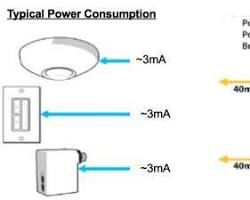
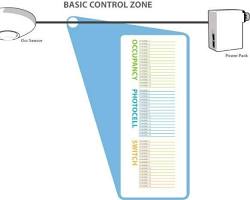
The Acuity nLight system is a networked digital lighting control platform that uses a “distributed intelligence” architecture. Unlike traditional systems that rely on a single central brain, nLight components (sensors, switches, and power packs) can communicate locally in “zones” via standard CAT-5e cables, allowing for both simple standalone room control and complex campus-wide networking.
1. Primary System Components
The system is built on “nLight-enabled” devices, easily identified by the “n” prefix in their model numbers.
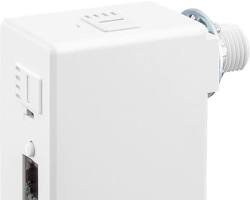
- Power Packs (e.g., nPP16): The muscle of the system. These provide bus power to other devices and contain the high-voltage relay to switch lighting loads on and off.
- WallPods (e.g., nPODM): The user interface. These are low-voltage switches available in on/off, dimming, and multi-scene configurations.
- Occupancy Sensors (e.g., nCM 9): Ceiling or wall-mounted sensors that use Passive Infrared (PIR) or “Microphonics” (sound) technology to detect movement.
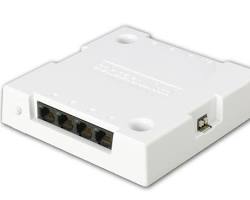
- Bridges (nBRG 8): Hubs that connect individual zones together. They aggregate traffic and allow the system to scale across multiple rooms or floors.
- Gateway (nGWY2): The system controller that acts as the interface between the lighting network and your building’s LAN, allowing for remote programming via SensorView software.
2. Operational Logic
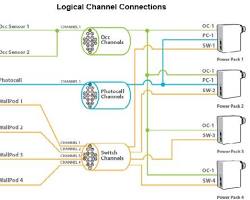
nLight devices function using a “Broadcast/Track” logic over 16 available channels:
- Broadcasting: A sensor or WallPod sends a signal (e.g., “Occupied” or “Switch Pressed”) on a specific channel (default is Channel 1).
- Tracking: A power pack “listens” to a specific channel. When it sees an “On” signal on its tracked channel, it closes its relay to turn on the lights.
Out-of-the-Box Functionality: nLight is designed to “just work” once plugged in. If you daisy-chain a sensor, a WallPod, and a power pack, they will automatically communicate on Channel 1 without any software configuration.
3. Emergency Integration: Myers EPS Inverters
Since your system is connected to a Myers EPS Inverter, your emergency lighting operates slightly differently than a standard battery-pack system:
- Centralized Backup: The Myers Inverter provides AC power to your lighting circuits during a utility failure. This means your emergency fixtures look and act like normal fixtures but stay powered during an outage.
- nLight ER Devices: In this setup, you likely use “ER” (Emergency Rated) versions of nLight power packs (e.g., nPP16 ER). These devices sense the loss of normal power and automatically override the lights to a “Full On” state, bypassing any dimming or manual “Off” commands to ensure safe egress levels.
4. Programming Advice
- Use SensorView Software: For any complex scheduling or multi-zone adjustments, the SensorView software is the primary tool. It allows you to create “Profiles” (e.g., “After Hours” mode) that can be pushed to the entire building at once.
- Push-Button Programming: For small adjustments without a computer, most nLight devices have a small “Function” button. By tapping this button in specific sequences (referencing the nLight pocket guide), you can change settings like “Time Delay” (how long lights stay on after you leave) or “Microphonics sensitivity.”
- Labeling is Critical: Because the system is digital, “Switch A” only controls “Light A” because they are programmed to the same ID or channel. Keep a clear map of the Serial IDs (found on stickers on every device) for each room to make troubleshooting easier.
- CAT-5e Best Practices: Ensure all cables are T568B terminated. Avoid running CAT-5e parallel to high-voltage lines, as electromagnetic interference can cause “ghost” switching or communication errors.